Quickly test AI paths without leaving the editor
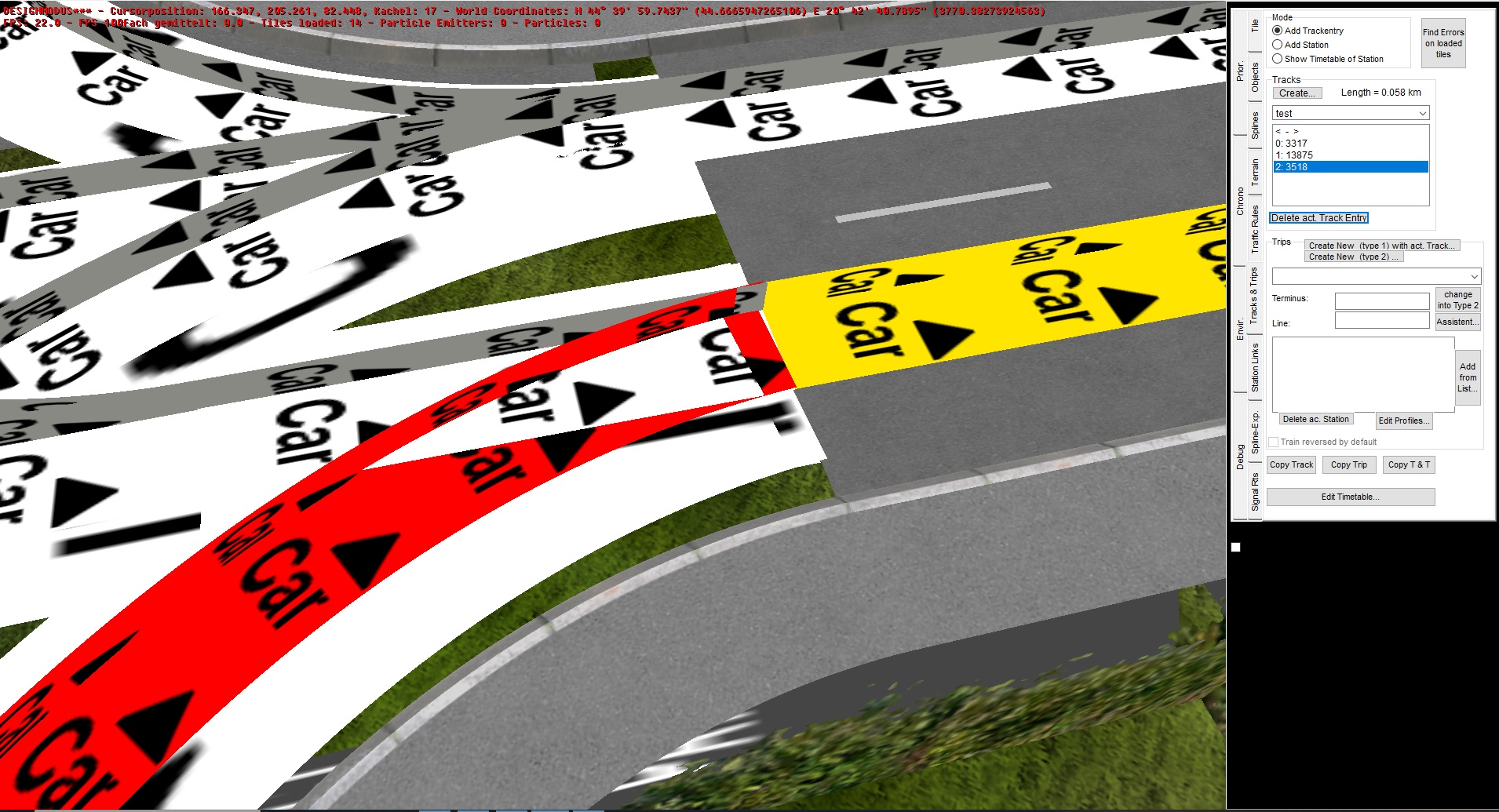
One of the most annoying things in OMSI is that to test your AI paths you need to leave the editor and test if all of them are connected in the game. This process takes some time, you need to open & close editor, wait for your map to load and all of that and if your map grows in size it becomes even more annoying.
Before explaining how you can test them within the editor, I want to mention that you don't have to connect AI paths precisely. In other words, there is a margin for error. Most people, including me for long time, think this way and spend a lot of time trying to match them perfectly.
*I want to thank Farex (who's working on the project Sarajevo) for suggesting me this approach. *
So what you need to do is that once you configured your AI splines however you like, you then need to go to "Tracks and Trips" tab and create a track. The name is not important (you can even delete the track later).
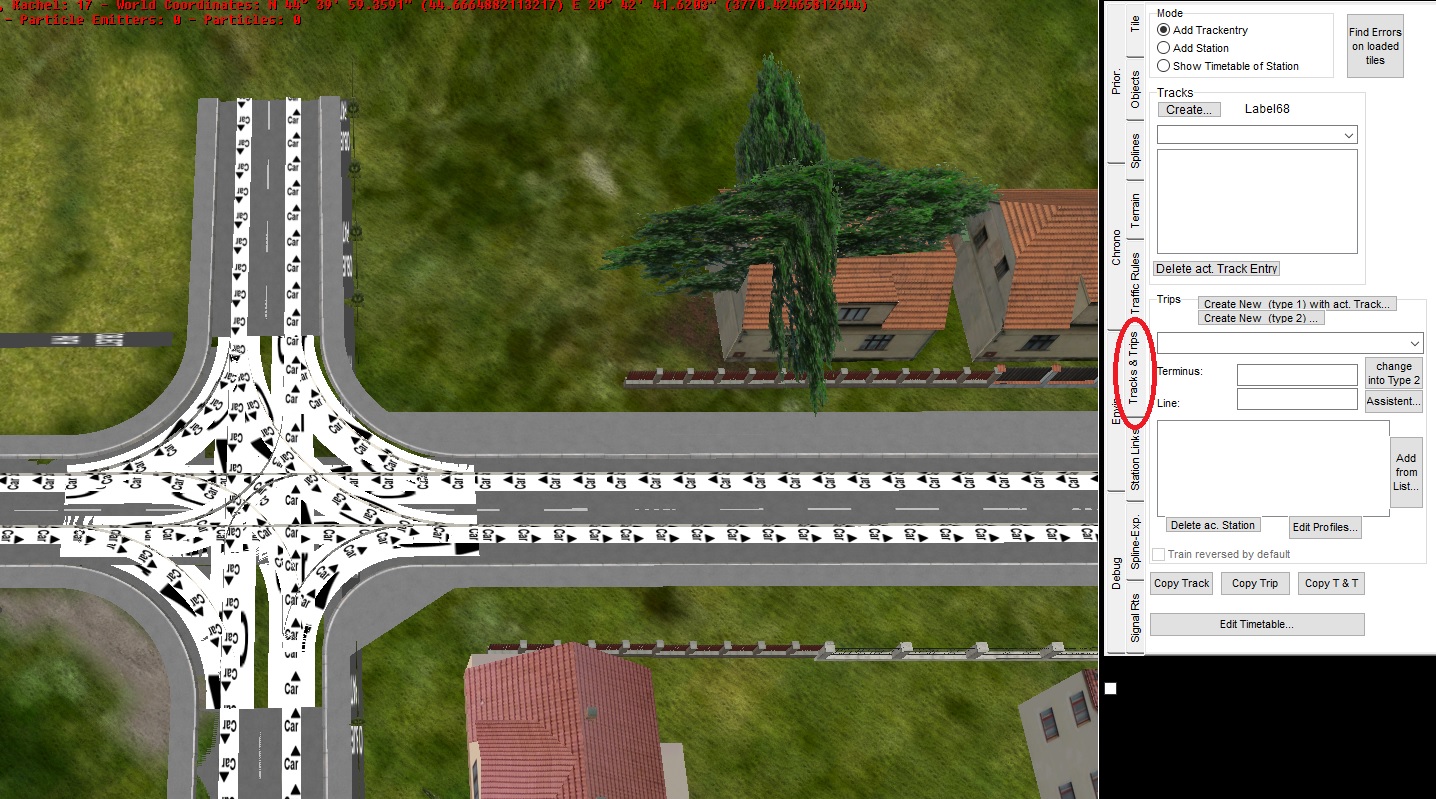
Once you did that you can try to link paths, if they can be added to the track then it means the paths are connected and AI vehicles will be able to use them continuously. If they can't, then you need to correct paths because a track cannot contain paths that are not connected to each other. As you can see on the picture, all my paths are connected. I want to be clear, they are not perfect but they are "good enough".
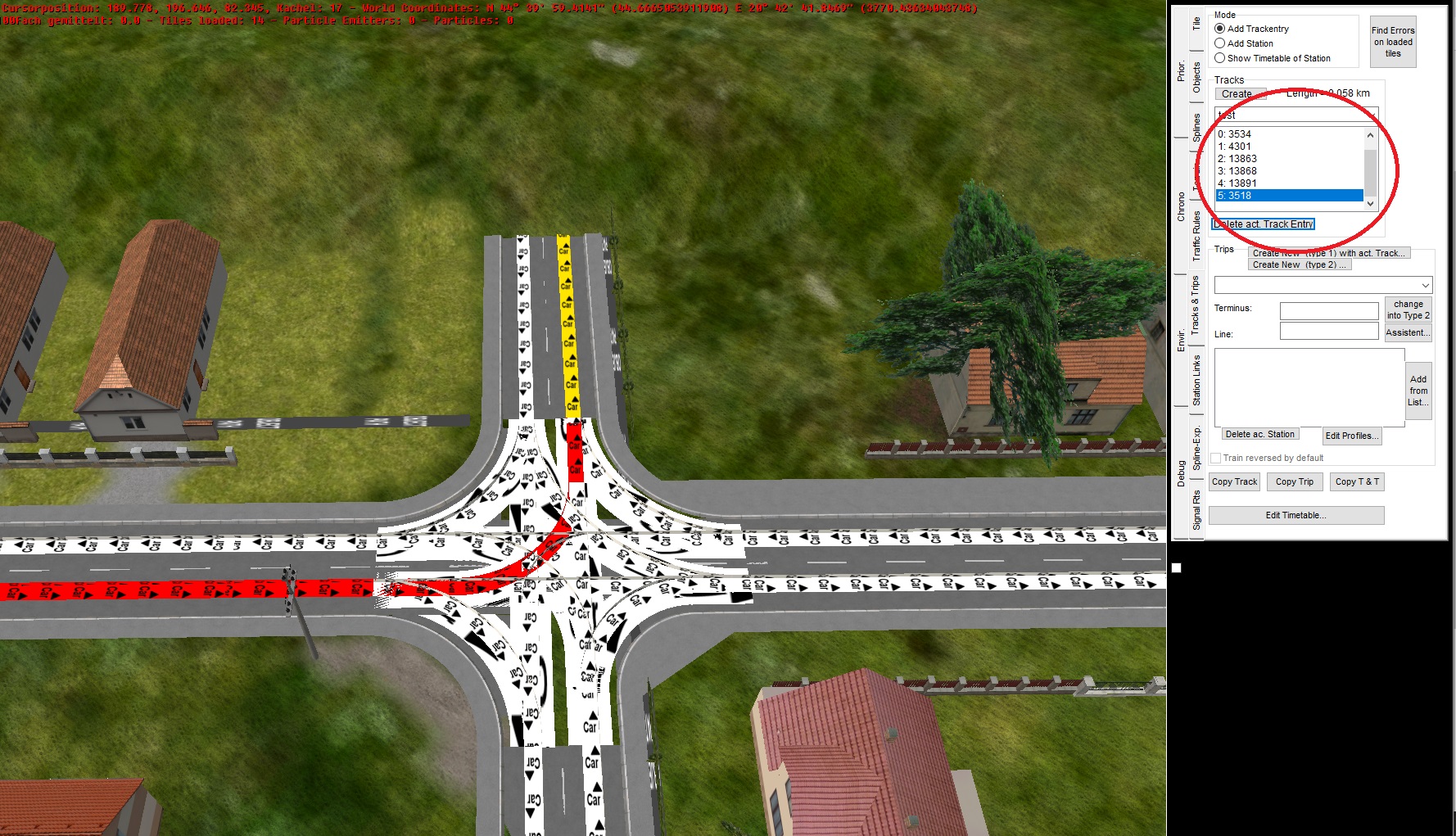
Also, this is very useful if you work with things like gradients because then it's even more challenging to be sure everything is correct.
Going back to the margin for error that I mentioned, it is true that surgical precision is not needed for AI paths to work, but if you are too careless the AI vehicles could make an awkward movement when using a path that is too sharp or have a bad angle.
Here, the red path is not perfectly connected to the next path but it works and in the game the AI doesn't make "too awkward" movement. What is awkward depends on you and what is fine - for you.
*Bonus tip: If you click on the tracks dropdown and reselect you testing track, you can even get the length of all connected paths in km. *